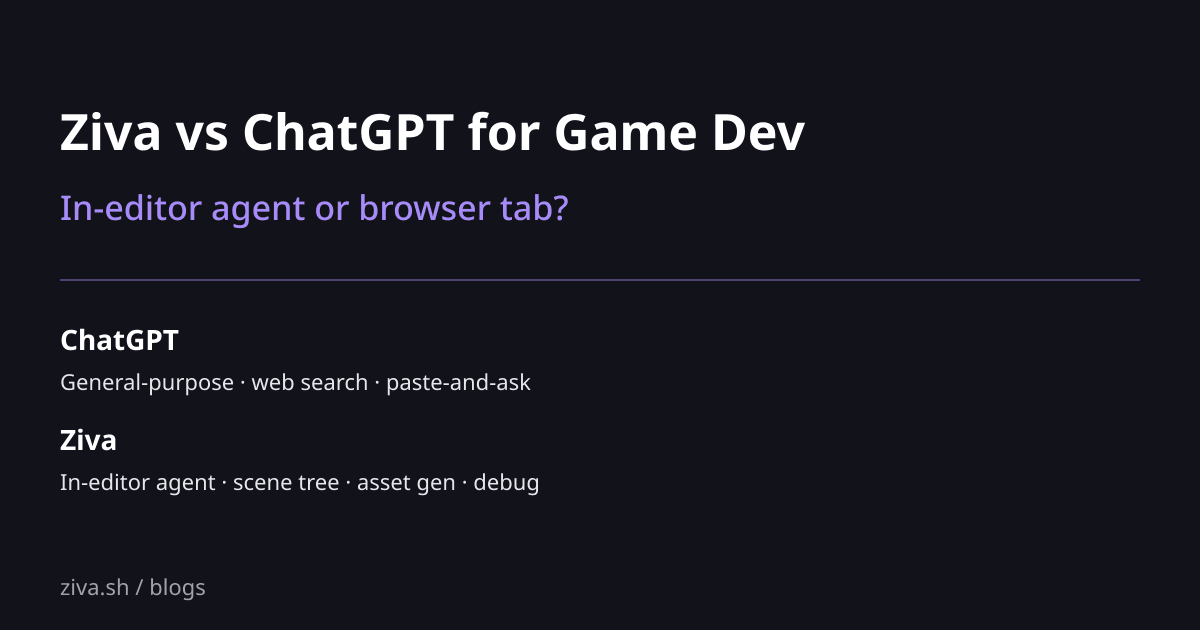
Ziva vs ChatGPT for Game Development in Godot
ChatGPT is the AI tool most game developers reach for first. Open a browser tab, paste your GDScript, ask for help, copy the answer back into Godot. It works, and for many one-off questions it works well. Ziva takes the same underlying capability and removes the copy-paste loop by running an agent inside the Godot editor. This post compares them honestly for game development workflows.
TL;DR
| If you want… | Pick |
|---|---|
| Free general-purpose AI for game design questions, lore, brainstorming | ChatGPT |
| Agent that edits your scene tree and project files directly | Ziva |
| One subscription that covers ChatGPT + Claude + Gemini + Deepseek per task | Ziva |
| Use the AI for non-Godot work too (research, writing, math, anything) | ChatGPT |
| Asset generation (sprites, 3D) integrated into your Godot workflow | Ziva |
| Multimodal in a separate browser tab | ChatGPT |
| Live debugger reading and editor screenshots passed as context | Ziva |
| Both, for what each is best at | Both |
What ChatGPT is
ChatGPT is the consumer chat product. You ask questions in a browser; it answers. For game development it works as a paste-and-ask assistant: paste your GDScript, paste an error trace, ask design questions about pathfinding or state machines, brainstorm enemy abilities, debate engine choices.
ChatGPT is excellent for: explaining concepts (what is a Behavior Tree, how do shaders work), generating boilerplate (write me an A* implementation), debugging isolated code (here’s a script, why doesn’t it work), and creative work (write three quest ideas for a roguelike).
ChatGPT is not Godot-aware. It does not know your scene tree, does not see your editor, does not read your debugger, does not generate assets into your project, and cannot change your project files. You do all of that yourself with the suggestions it gives.
Pricing: free tier with rate limits, $20/mo Plus, $200/mo Pro for unlimited frontier-model use.
What Ziva is
Ziva is a Godot plugin that runs an agent inside the editor. The agent has access to your scene tree, your script editor, your debugger, your file system, and asset-generation services. When you ask it to do something, it does it: adds nodes, writes scripts, generates sprites and 3D models, edits TileMapLayer cells, reads errors from the running game, and proposes fixes.
Pricing: free tier ($3/mo of included usage), $20/mo Basic. Includes managed access to Claude (Opus / Sonnet / Haiku), GPT-5, Gemini, and Deepseek per task.
Feature comparison
| Feature | Ziva | ChatGPT |
|---|---|---|
| Lives inside Godot | Yes | No |
| Edits scene tree | Yes | No (you do it) |
| Reads live debugger | Yes | No |
| Edits TileMapLayer | Yes | No |
Generates sprites and 3D models into res:// | Yes | No (you save and import manually) |
| General-purpose chat (design, lore, brainstorming) | Yes (same models) | Yes |
| Use for non-game-dev tasks | No (Godot-focused) | Yes (everything) |
| Underlying models | Claude, GPT, Gemini, Deepseek | GPT primarily |
| Has memory of your project | Yes (reads it) | No (you paste it) |
| Web search | No | Yes (with Plus) |
| Pricing | Free → $20/mo | Free → $20/mo Plus → $200/mo Pro |
Where ChatGPT wins
General-purpose AI. ChatGPT is for everything. Game design, market research, marketing copy, math problems, email drafts, brainstorming, code review for non-Godot projects. If you want one AI that handles your whole life, ChatGPT is the better fit.
Web search and current info. ChatGPT with web search can pull current information from the internet. Ziva is focused on your project; it doesn’t browse.
Multimodal in a separate context. Paste an image, get an analysis. ChatGPT’s multimodal UX is the most polished consumer-grade chat experience available.
Free tier is meaningful. ChatGPT’s free tier handles most casual questions. Ziva’s free tier is $3/mo of included usage, designed to demo frontier models then upgrade.
No commitment to Godot. If your project might switch engines or move to Unity, ChatGPT works for any engine. Ziva is Godot-only.
Where Ziva wins
Removes the copy-paste loop. Every ChatGPT interaction for game dev follows the same pattern: paste context, ask question, copy answer, paste into Godot. Ziva removes all four steps. You ask in the editor, the agent does the work in the editor.
Knows your project automatically. ChatGPT only knows what you paste. Ziva reads your scene tree, your scripts, your project settings, your debugger output. Context is implicit.
Changes files. ChatGPT tells you what to do; Ziva does it. For shipping features instead of learning patterns, this is the deciding factor.
Asset generation in-flow. Need a sprite for the feature you’re adding? Ask Ziva, get the asset imported into res:// with the correct .import config. ChatGPT can describe a sprite; it doesn’t generate, save, or import.
Multi-model selection per task. Ziva exposes per-task model choice: Sonnet for refactor, Haiku for boilerplate, GPT-5 for hard bugs, Gemini for vision. ChatGPT is GPT-centric.
Live debugger. Game crashes mid-test, Ziva already has the stack trace and proposes a fix. ChatGPT requires you to paste the error.
When to pick each
Use ChatGPT when:
- The question is conceptual (“explain quaternions for game rotation”)
- The work isn’t Godot (“write a Discord bot for my game’s community”)
- You want web search to find current tutorials or library docs
- You’re brainstorming or doing market research
- You’re early in learning and want a general-purpose tutor
Use Ziva when:
- You want the AI to actually change your Godot project
- You want scene tree, debugger, asset gen in the flow
- You don’t want to copy-paste between browser and editor
- You’re shipping a feature, not learning about one
Use both:
- ChatGPT for the design and lore questions, Ziva for the implementation
- ChatGPT for the research, Ziva for the integration
- ChatGPT for non-Godot life, Ziva for the Godot project itself
For $20/mo each (or $20 Ziva + ChatGPT free tier), this combination is realistic for most working developers.
Related reading
- Best AI Tools for Godot in 2026: the 11-tool landscape
- Ziva vs Claude Code for Godot: comparison with the Claude-specific terminal tool
- What Ziva does in Godot: API-level walkthrough
- How to use AI with Godot: broader workflow guide