The Best Game Engines for 2D Games in 2026
For most 2D games in 2026, Godot is the best choice. It is free, open source, has no royalties, and treats 2D as a first-class citizen.
Unity is the safe pick if you need a massive asset store or are targeting many platforms at once. GameMaker is the fastest path from zero to playable prototype.
Everything else is either overkill (Unreal), niche (RPG Maker, Defold), or losing ground.
The 2D engine landscape shifted hard in the last two years
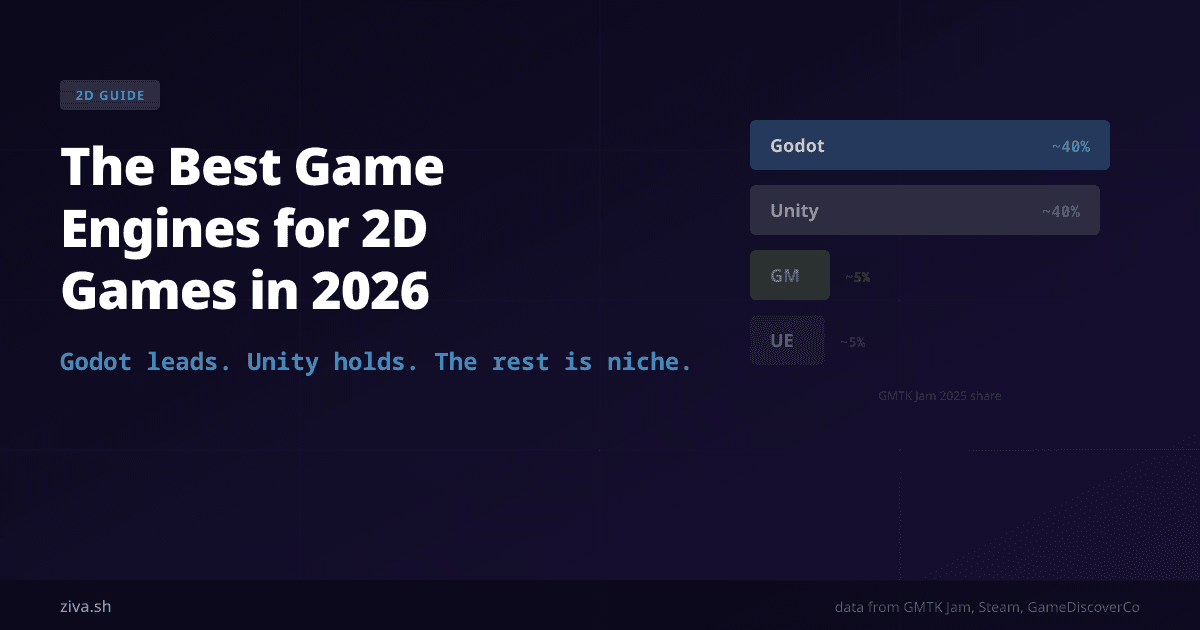
The numbers tell a clear story. At the GMTK Game Jam 2024 , the largest game jam on itch.io, Godot jumped from 19% to 37% of all submissions in a single year. Unity dropped from 61% to 36%. By GMTK 2025 , Godot nearly matched Unity, and at the current trajectory could pass it in 2026.
On Steam, the picture is more conservative. GameDiscoverCo’s data shows Unity still leads in shipped commercial titles, Unreal is second, and Godot is third but growing. Among games earning over $500K lifetime on Steam, Unreal’s share ticks up slightly (developers making money tend to use bigger engines), but Godot is eating into GameMaker’s share steadily.
What happened? Unity’s September 2023 runtime fee announcement sent a wave of developers looking for alternatives. The fee was cancelled in 2024, but the trust damage was done. Godot’s downloads doubled in a single month after the announcement, and many developers who tried it stayed.
1. Godot: best for most 2D projects
Cost: Free. MIT license. No royalties. No seat fees. No catch.
Why it wins for 2D: Godot was designed with 2D as a native system, not bolted on. The 2D engine runs independently from the 3D renderer, which means 2D games are lightweight and fast without dragging 3D overhead. The node and scene system is intuitive once you learn it, and GDScript (a Python-like language) is easy to pick up.
Successful 2D games built in Godot: Brotato (1M+ sales), Dome Keeper , Cassette Beasts , Halls of Torment , The Rise of the Golden Idol .
Tradeoffs: Smaller asset store than Unity. Fewer tutorials than Unity (though this gap is closing fast). Console export requires third-party tools or publishing partners. The community is large and active but younger than Unity’s.
Best for: Indie developers, solo devs, small teams, jam games, pixel art, roguelikes, narrative games, prototypes, anyone who does not want to worry about licensing.
2. Unity: best for cross-platform scale
Cost: Free up to $200K revenue. $2,200/year Pro , ~$5,000/year Enterprise.
Why it is still relevant for 2D: Unity’s 2D toolset (Tilemaps, Sprite Editor, 2D lighting, 2D physics) is mature and production-tested. The Asset Store has thousands of ready-made 2D components. Console export is built in. If you are targeting iOS, Android, Switch, PlayStation, Xbox, and PC from one codebase, Unity’s cross-platform pipeline is still the most battle-tested.
Tradeoffs: The editor is heavy for pure 2D work. C# has a steeper learning curve than GDScript for beginners. Pricing changes in 2023 eroded developer trust, and while the runtime fee is gone, the new pricing raised seat license costs 8 to 25%. Unity’s 2D is good, but it always feels like a 3D engine doing 2D as a side job.
Best for: Studios targeting many platforms simultaneously, teams already experienced with C#, projects that need a large asset store, mobile games with complex monetization.
3. GameMaker: fastest for pure 2D prototyping
Cost: Free tier available. $79.99/month for full features.
Why it works: GameMaker is 2D-only by design. No 3D distractions. The drag-and-drop system gets beginners to a playable game in hours, and GML (GameMaker Language) supports more advanced logic when you need it. For pure 2D, the iteration speed is hard to beat.
Successful games: Undertale , Hyper Light Drifter , Katana ZERO , Chicory: A Colorful Tale .
Tradeoffs: 2D only (no pivot to 3D later). Monthly pricing adds up over long projects. The community is smaller than Unity or Godot and has been losing market share to Godot in recent years. GML is not widely used outside of GameMaker, so the skills do not transfer.
Best for: Beginners who want results fast, pure 2D projects with no 3D ambitions, jam games, educational settings.
4. Unreal Engine: overkill for most 2D
Cost: Free until $1M revenue, then 5% royalty on gross.
Unreal has a 2D system called Paper2D, and some stylized side-scrollers have used it (Octopath Traveler used Unreal for its HD-2D look). But for standard 2D game development, Unreal is a tank where you need a bicycle. The editor is resource-heavy, the learning curve is steep, and the engine’s strengths (Nanite, Lumen, large-scale 3D worlds) are irrelevant for most 2D projects.
Best for: Hybrid 2D/3D games (think HD-2D style), teams already deep in the Unreal ecosystem who want to add a 2D project.
5. Everything else
Defold (free, by King/Synaptic) is lightweight and good for mobile 2D. Small community.
Cocos Creator is popular in Asia, especially for mobile and web games. Less traction in the West.
RPG Maker is purpose-built for 2D RPGs. If you are making a JRPG-style game and do not want to code, it is the fastest path. Not general purpose.
Construct is browser-based, no-code, and good for educational settings or quick prototypes. Limited for commercial projects.
What about AI tools in 2D development?
One thing that has changed since 2024 is that AI coding assistants (Cursor, Claude Code, etc.) work well with all of these engines at the scripting level. But they all have the same limitation: they can write code, but they cannot interact with the engine itself. They cannot create nodes, configure scenes, set up physics, or preview changes inside the editor.
This is where engine-native AI tools come in. Tools like Ziva work inside the engine (currently Godot) and can actually manipulate the project directly: creating nodes, configuring scenes, setting up physics. For Godot users doing 2D development, this means faster scene setup, quicker iteration on collision, and less time doing repetitive mechanical work.