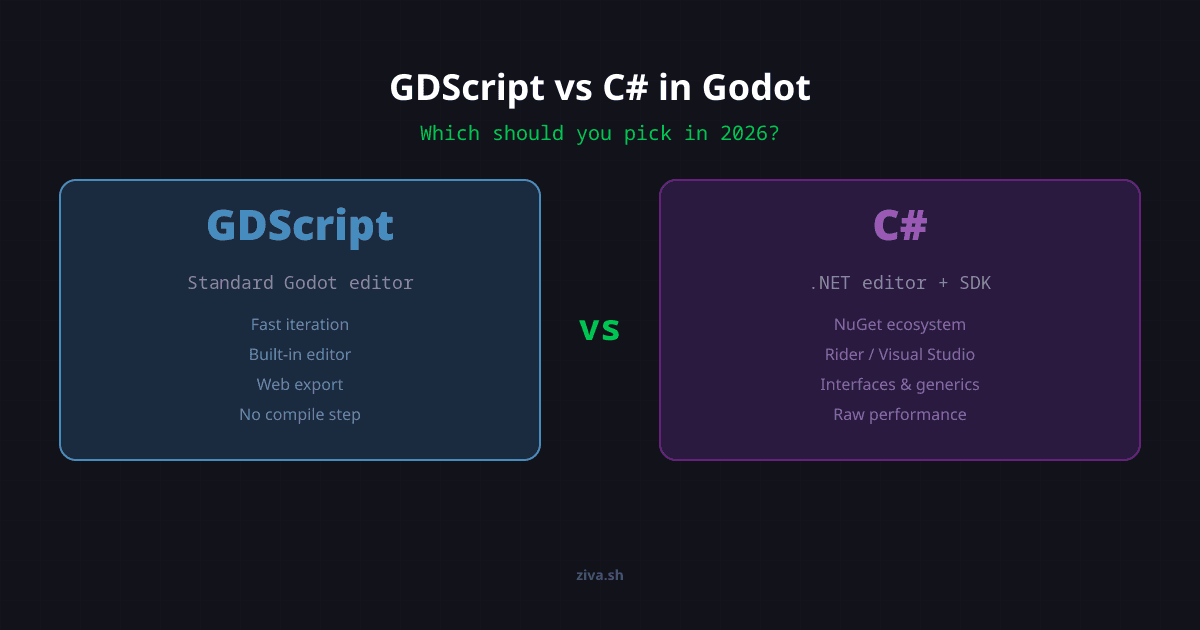
GDScript vs C# in Godot 4: Performance & Export Limits
Choose GDScript for a Godot 4 browser game or a fast start in the standard editor. Choose C# when an existing C# codebase, .NET libraries or your team’s experience justifies its setup. Profile your actual workload before choosing on speed.
| Decision | GDScript | C# in Godot 4 |
|---|---|---|
| Editor setup | Included in the standard editor | Requires the .NET editor and SDK |
| Web export | Supported | Not supported |
| Android and iOS | Supported | Supported since 4.2, but still experimental |
| Performance | Good for general gameplay; typed instructions help | Can win on computation, but engine-call marshalling and garbage collection also matter |
| Existing C# code or NuGet packages | Requires a rewrite or a bridge | Reuse your .NET code and libraries |
Platform support was checked against Godot’s C# documentation on October 3, 2026. The performance distinction comes from the official FAQ , not a benchmark we ran.
GDScript is the right choice for most Godot projects. It has tighter editor integration and fast iteration without a separate .NET build step. It also supports Godot 4 web exports, unlike C#.
C# is worth it if you already have a C# codebase, need NuGet packages, or your team relies on .NET tooling.
Its static typing, interfaces, and IDE tooling (Rider, Visual Studio) make big codebases easier to manage.
Performance depends on the workload. Typed GDScript improves on untyped GDScript, but that is not a comparison with C#. Profile the part of your game that is actually slow before rewriting it.
Start with your project, not a popularity percentage
GDScript is Godot’s built-in language; C# is an alternative enabled by the .NET editor. Your target platforms, existing code and familiarity are stronger reasons to choose than treating the two languages as mutually exclusive survey shares.
This matters beyond preference. When you hit a bug at 2 AM, you want the language where the answer already exists on the Godot forum. GDScript has that coverage. C# answers exist, but they are sparser, and addons from the asset library almost always ship with GDScript examples first.
The most commercially successful Godot games reflect this split. According to revenue analysis based on Steam review data , Brotato earned an estimated $10.7 million, Dome Keeper $6.1 million, Cassette Beasts $4.1 million, and Halls of Torment $3.4 million. All were built with GDScript.
The performance gap is smaller than you think
“C# is compiled, so it is always faster” is not a useful rule for a Godot project. The official FAQ says both languages are fast enough for general-purpose scripting: C# can be faster with few engine calls, but slower with many calls because of marshalling. Garbage collection can also cause stutters.
GDScript 4 introduced typed instructions , which let the VM skip runtime type checks when you add static type annotations. The result is dramatic. Independent benchmarks running 1 billion iterations on an M2 Max show:
Vector2 operations, which games use constantly, ran 59% faster with type annotations. The official Godot typed instructions report confirms 5-150% speedups depending on the operation type, with simple attribute access at the low end and pre-validated native function calls at the high end.
C# still wins on raw computational throughput. For tight numerical loops, array sorting, and custom physics simulations, C# with .NET’s AOT compilation runs considerably faster than typed GDScript. But here is the thing most comparison articles miss: almost no game logic lives in tight numerical loops. Player controllers, UI updates, dialogue trees, quest systems, camera logic, inventory management: these are all bottlenecked by engine API calls, not by language execution speed. Both GDScript and C# call the same C++ engine underneath. The underlying work is shared, but the cost of crossing into the engine does not disappear; marshalling can make those calls more expensive from C#.
If your game needs custom fluid simulation or real-time pathfinding over 100,000 nodes, C# (or GDExtension with C++) is the right tool. For everything else, typed GDScript is fast enough that you will never notice the difference during gameplay.
GDScript is built for Godot. C# is bolted on.
This sounds harsh, but it is the practical reality. GDScript was designed alongside the engine, and it shows in dozens of small ways:
Signals. GDScript’s signal keyword and await syntax are first-class. Connecting a signal is one line. In C#, you use ToSignal() wrappers and explicit delegate patterns. It works, but it is more verbose.
Coroutines. A GDScript function can await a signal or coroutine without an async declaration. In C#, you need explicit async patterns with SignalAwaiter.
Editor integration. The built-in script editor understands GDScript natively: inline docs, node path autocompletion, drag-and-drop node references, and the ability to run changes instantly without recompilation. C# benefits from an external IDE (Rider, Visual Studio, or VS Code with the C# extension) and requires a separate compile step.
No import management. GDScript auto-resolves all engine types. You never write using Godot; or manage namespace conflicts.
David Amador, a veteran Unity developer, made a deliberate choice to learn GDScript when switching to Godot . His reasoning: “Honestly I’m growing tired of C#” and “there are way more tutorials and examples online using GDScript.” After building prototypes in GDScript, his assessment was direct: “GDScript itself is fun, clean, and powerful enough for full games.”
Popcar, another Unity migrant, put it more bluntly in their migration guide : “C# users are second-class citizens in many aspects in Godot.” They cited missing web export support, more bugs in the C# integration, and fewer tutorials as concrete reasons to switch to GDScript.
What you actually give up with each choice
Every comparison article tells you C# has “more features.” Few of them tell you what you lose by picking it. Here is the honest version for both sides.
GDScript has no built-in package manager and lacks C#‘s interfaces, generics, and namespace organization. If your team’s architecture relies on those features or .NET IDE tooling, C# may fit better. There is no universal team-size or line-count threshold for switching languages.
C# has its own set of costs. The current official documentation says Godot 4 C# projects cannot be exported to web. Android and iOS support exists, but is experimental. You also cannot call GDExtensions directly from C#, which means any addon built as a GDExtension needs a GDScript wrapper. And every code change triggers a recompile, which adds friction when you are rapidly iterating on enemy behavior or UI tweaks.
That said, C# earns its complexity budget in specific scenarios. Sergio Flores ported a game with 500+ C# scripts from Unity to Godot in a single weekend because his existing codebase was already in C#. Rewriting all of that in GDScript would have been months of wasted effort. If you need NuGet packages for networking, database access, or serialization, C# is the only option. And for computational workloads like custom physics or procedural generation that crunches millions of data points per frame, .NET AOT compilation gives you native-speed execution that GDScript cannot match.
Even Chickensoft , the most prominent C# advocacy organization in the Godot ecosystem, acknowledges that “for most people, GDScript is probably the best choice.”
Start with GDScript. Add C# when the project demands it.
Choose GDScript for Godot’s built-in editor workflow, quick iteration, or Godot 4 web exports. Choose C# when existing C# code, .NET libraries, or your team’s tooling makes it the better fit. Performance depends on the workload; neither language wins every task.
For your first Godot project, a solo game, a game jam entry, a 2D game, or anything that needs to run on the web: GDScript. You will prototype faster, find answers faster, and ship faster.
For a Unity port with existing C# code, a team already comfortable with C#, or a project that depends on the .NET ecosystem: consider C#. Check your export targets before committing to that workflow.
For projects that land in between, Godot supports cross-language scripting . You can prototype in GDScript and rewrite performance-critical systems in C# later. This is not a theoretical option; it is how several shipped Godot games handle it.
The worst decision is spending weeks agonizing over this question. Both languages ship real games. If you are comparing Godot vs Unity or figuring out which engine to start with, that is a bigger decision than which scripting language to use inside Godot. And regardless of which language you pick, AI tools for Godot can accelerate your workflow either way.