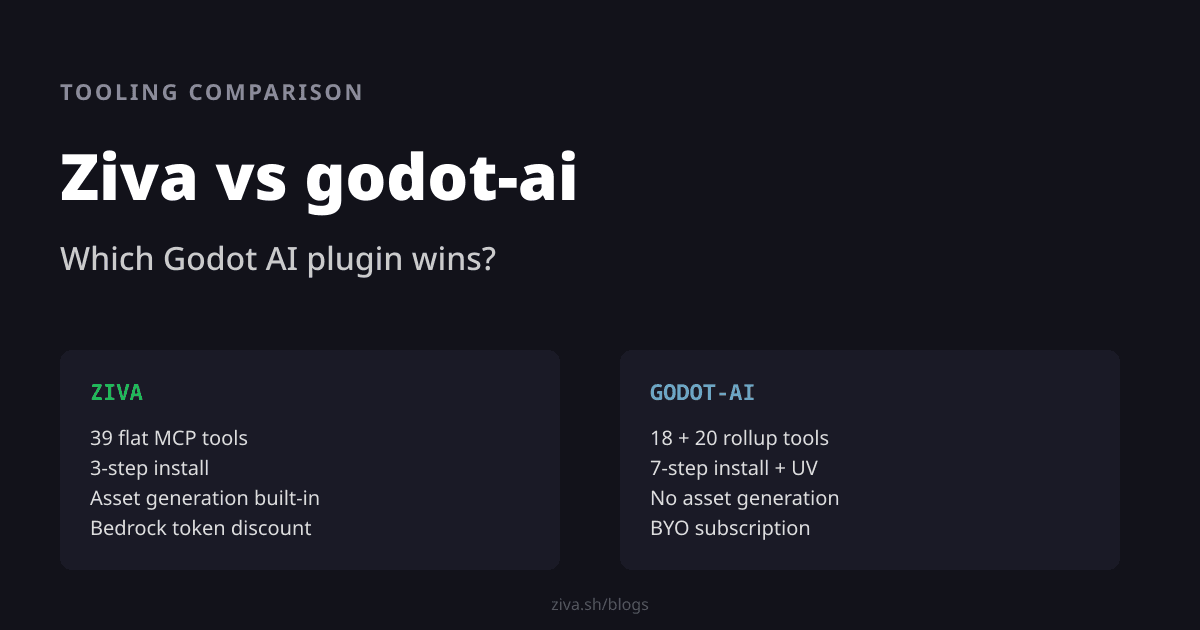
Ziva vs godot-ai: Picking a Godot AI Plugin
Both plugins help you drive Godot with an AI agent, but the agent lives in different places.
godot-ai is an MCP server: your existing AI client (Claude Code, Cursor, Codex — running as a separate desktop app) talks to the editor through it. Ziva ships the agent inside the editor itself, with its own chat panel, model runtime, and skills.
Tool design is the technical fork. godot-ai exposes 18 named tools plus 20 rollup tools dispatching 123 operations via op strings, a workaround for tool-count caps in clients like Antigravity. Ziva exposes 39 flat tools with introspectable schemas. Both work; flat schemas are friendlier to smaller models.
For most indie Godot devs, Ziva is the better pick — multi-model selector covering Anthropic, OpenAI, Gemini, Kimi, and Minimax in one chat; live test running and validators the agent uses to verify itself; drag-and-drop image inputs; asset generation; per-message undo; one bill; one-command install. For devs who already pay for Claude Code or Cursor and want bare MCP tools to script their own workflows, godot-ai is the right fit.
Where the agent lives
Both projects solve the same problem — getting a large language model to drive Godot — but they put the agent in different places.
godot-ai is an open-source MCP server. It runs a Python FastMCP process alongside a GDScript editor plugin and exposes Godot’s editor over the Model Context Protocol . The agent itself is not part of the plugin; it lives in your AI client, which runs as a separate desktop app. You configure the connection through a dock inside Godot, but the actual chat happens in the Claude Code, Cursor, Antigravity, or Codex window. The plugin is plumbing between two apps. It launched in April 2026 and is MIT-licensed.
Ziva puts the agent inside the editor. The addon ships a chat panel that lives next to your scene tree, plus a model runtime that proxies Anthropic models through AWS Bedrock for discounted token pricing . There is no separate client app to install or window to switch between. You sign in and the agent runs in Godot.
This architectural fork sets every other tradeoff. godot-ai gives you flexibility and assumes you already have an agent app you like; Ziva gives you a turnkey product and an in-editor chat surface.
Flat schemas vs rollup dispatch
Tool design is where the two plugins make the most distinct technical choice. Both expose roughly the same number of named tools to the AI client; what differs is how operations are organized behind those tools.
godot-ai exposes 18 named tools plus 20 rollup _manage tools. The rollup tools dispatch 123 different operations through an op="..." plus params dispatch dict. To set a node property, the model calls node_manage with op="set_property" and a params dict whose shape varies per op. Ziva exposes 39 flat tools — move-node, create-file, generate-pixel-art, draw-stairs — each with its own Zod schema the model can introspect.
godot-ai’s rollup pattern is a deliberate engineering choice. The docs are upfront that it exists to fit under Antigravity’s tool count cap , which limits clients to a maximum number of MCP tools. Without the rollup, godot-ai would not work at all on those clients. It is a smart workaround for a real constraint, and frontier models handle it fine.
The tradeoff is that the rollup adds a layer of indirection the model has to reason about. The agent has to remember which op strings exist, then which params shape each op takes, without a flat schema to introspect. Smaller models — Haiku, GPT-mini, anything below the frontier — pay a bigger tax on this; we measured the difference internally during the Ziva 2.4 release and chose to keep our tools flat for that reason. If you are running Claude Sonnet or Opus, the difference is small. If you are running cheaper models, flat schemas produce more reliable tool calls.
What it takes to get either running
godot-ai’s installation guide lists six steps. Install UV (a Python package manager), clone the repo or pull from Godot’s AssetLib, copy the addon directory into your project, enable the plugin in Project Settings, click Configure for each MCP client you want to wire up, and make sure your MCP client is subscribed and signed in. Most of the friction is the Python toolchain: UV is a clean, modern tool, but it is a prerequisite a Godot dev does not otherwise need.
Ziva is one command:
bash <(curl -s https://ziva.sh/install.sh)A Rust-based GUI installer downloads, detects your platform, picks the right addon build, drops it into the Godot project you point it at, and signs you in with GitHub OAuth on first launch. No Python. No second client to configure.
The setup gap reflects the architectural difference. Because godot-ai is a server connecting to your existing client, it has to be installed alongside that client and configured to find it. Because Ziva is a self-contained agent, it can ship as a single binary and skip the wiring entirely. Both approaches are reasonable; one of them has more moving parts.
What the agent is, and how it checks its own work
Both plugins give you a choice of model, but in different shapes.
godot-ai inherits its model from the MCP client you connect. Claude Code locks you to Anthropic. Cursor and Codex expose their own lineups. The flexibility is real: any new client supporting any new model becomes available the moment you wire it up. The constraint is that switching models means switching client apps.
Ziva ships a model selector inside the chat panel. From a single dropdown you pick between Claude Haiku 4.5, Sonnet 4.5, and Opus 4.7; GPT 5.1 Codex Mini and 5.3 Codex; Gemini 3 Flash and 3.1 Pro; Minimax M2.7; and Kimi K2 . Different models are gated to different paid tiers, but the selector lives in one product. You can run a refactor on cheap Haiku, then switch to Opus for a tricky physics bug without leaving the editor.
For multimodal user input — sending the agent a reference image, a mockup, or a bug screenshot — Ziva accepts drag-and-drop attachments directly in the chat. godot-ai’s image handling depends on whatever your MCP client supports; user-attached images do not flow through the MCP layer to the editor.
Where Ziva’s in-editor architecture pays off most is the agent’s ability to verify its own work without bouncing back to the user.
- Live GDScript execution through
execute-script. The agent runs a snippet in a headless Godot subprocess and readsprint()output back. Useful for inspectingEngine.physics_ticks_per_secondmid-task or sanity-checking a node’s state without writing scaffolding. - Test running via
run-tests, which integrates with GUT -style test suites. The agent writes a test, runs it, sees the failure trace, fixes the code, and runs it again. The user does not push a button between iterations. - Domain validators:
validate-physics-setupchecks collision masks, layers, and shape coverage;validate-tilemap-structurechecks tile counts, continuity, and bounds. These catch the kinds of errors that bite hours later when an enemy phases through a wall. - Per-message undo. Every agent action lands as part of a message-level snapshot. If a long task goes sideways, one click reverts the whole chain. godot-ai’s tools manipulate the editor directly; rollback is whatever your version control gives you.
godot-ai’s tool surface focuses on direct editor manipulation; the verification loop is whatever your MCP client wraps around the calls. Ziva ships the verification loop as part of the product.
Sprites and tilemaps
godot-ai focuses on the editor automation surface — scenes, nodes, scripts, signals, animation tracks, materials. Its flagship demo builds a cyberpunk HUD with “zero coding, zero image gen, all programmatically drawn.” That phrase is a deliberate design choice: every visual is hand-drawn with Line2D, Polygon2D, and shaders rather than generated. For procedural UI and 3D scenes that source assets from Blender or asset packs, this is a fine boundary.
Ziva ships generate-pixel-art and generate-animation as first-class MCP tools. The agent can request a 32x32 character sprite or a four-frame walk cycle, drop the PNG into your asset folder, and wire up the SpriteFrames resource. The full workflow is in the pixel art tutorial . Ziva also exposes draw-horizontal-line, fill-rectangle, and draw-stairs primitives that operate directly on TileMap cells.
For 2D indies — most of the Godot user base — sprite generation is a meaningful difference. For 3D projects where art comes from Blender, it is not.
One bill or two
godot-ai is free and MIT-licensed. To use it you bring an MCP-capable client, and those clients cost money: Claude Code at $20/month , Cursor at $20/month , or one of the open alternatives. If you already pay for one of those, godot-ai’s marginal cost is zero. If you do not, that subscription is the real cost of running the plugin.
Ziva runs its own backend on AWS Bedrock and prices Anthropic models below the direct Anthropic API. Hobby tier is free. Paid tiers undercut what you would pay holding your own Anthropic key. We broke down the math in our LLM pricing decline analysis . One bill, cheaper tokens.
| Setup | Monthly bills | Token cost |
|---|---|---|
| Ziva Hobby | $0 | $3 of included usage each month |
| Ziva paid tier | One bill | Bedrock-discounted, undercuts direct Anthropic pricing |
| godot-ai with existing subscription | One bill | Whatever your client charges |
| godot-ai with new subscription | Two bills | Direct API pricing |
The cost question reduces to one fact: Ziva is one bill, godot-ai is one bill if you already have a client subscription and two bills otherwise.
What godot-ai gets right
There are real cases where godot-ai is the right tool, and they are worth taking seriously.
You already pay for Claude Code, Cursor, or another MCP-capable client. The marginal cost is zero, and you get to use the agent you have already chosen and learned. If your daily driver is Claude Code and you like it, godot-ai is the cleanest way to point it at Godot.
You want full control over the agent loop. godot-ai is bare MCP plumbing. You write the prompts, choose the model, and shape the agent loop yourself. For developers who want to script their own workflows or experiment with novel agent architectures, this flexibility is the point. Ziva ships a tested system prompt and skills; godot-ai assumes you have your own.
You want open-source plumbing. godot-ai’s Python server and GDScript plugin are MIT-licensed and auditable. You can fork them, run the Python server on your own infra, or modify the tool surface. We are big believers in open tooling for code privacy , and godot-ai delivers there. Ziva’s runtime is closed because it ships the inference layer with negotiated Bedrock rates.
You run multiple Godot editors at once. godot-ai supports routing many editors through one MCP server with session_activate switching between them. If you genuinely work on three projects in parallel from one client, that is a real ergonomic win.
Your model is frontier-class. Claude Sonnet 4.6, Opus 4.7, and GPT-5 handle godot-ai’s rollup dispatch fine. The cognitive-load tax on flat-vs-rollup schemas mostly hits smaller models.
What Ziva gets right
You want the agent in the editor, not in another window. Ziva’s chat panel sits next to your scene tree. You do not alt-tab between Godot and Claude Code, and the agent does not ask you to run things in a separate process — it runs them itself.
You want model choice without switching client apps. One dropdown gets you Anthropic Sonnet/Opus/Haiku, OpenAI GPT 5.1 / 5.3 Codex, Gemini 3 Flash / 3.1 Pro, Kimi K2, or Minimax M2.7. Cheap model for a refactor, frontier model for the gnarly bug, all from the same chat session.
You want the agent to verify its own work. Live GDScript execution, GUT test running, physics and tilemap validators, and per-message undo make a feedback loop the agent can drive on its own. The user is not the runtime.
You build 2D games and need sprites. Pixel art generation and tilemap drawing primitives are the single largest functional difference between the two plugins. A 2D indie pipeline benefits more from these than from rollup-tool flexibility.
You attach images to the chat. Reference art, mockups, and bug screenshots flow directly into the conversation. The agent reads them as part of its context.
You do not already pay for an AI subscription. Ziva’s free Hobby tier and Bedrock-discounted paid tiers come out cheaper than spinning up a new $20/month client subscription specifically to drive godot-ai.
Pick by what you have and what you build
For indies, hobbyists, and most 2D Godot devs, Ziva is the better pick. The in-editor agent surface, multi-model selector, self-verifying feedback loop, asset generation, and single-bill pricing match what most developers actually want. If you do not already have an MCP-client subscription, this is the choice that gets you working fastest at the lowest total cost.
For developers who already pay for Claude Code, Cursor, or another MCP client and want bare tools they can script themselves — particularly on 3D projects where asset generation matters less — godot-ai is a clean, well-built way to turn that subscription into a Godot agent. The setup friction is real but it is one-time, and the open-source plumbing gives you control Ziva does not.
Both projects are improving fast. Either one is a defensible choice depending on what you have in your wallet and what kind of game you are building.
For more context on the Godot AI tooling space, our best AI tools for Godot covers the rest of the field, and our guide to using AI with Godot walks through workflows that work with either plugin.