ShipThis: Export Godot to iOS and Android Without a Mac
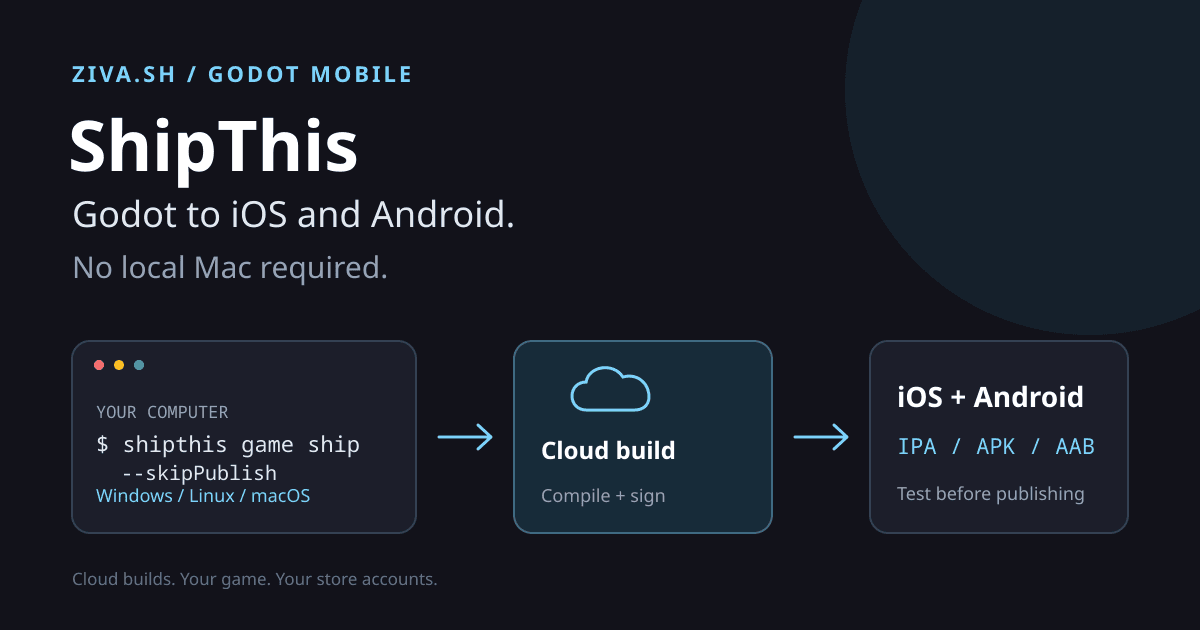
ShipThis builds and signs Godot games for iOS and Android in the cloud, then can upload them to TestFlight or Google Play. Its CLI runs on Windows, Linux, and macOS, so you do not need your own Mac to make an iOS build or a local Android SDK to make an Android build.
That makes it worth trying if your game runs in Godot but the next task is figuring out certificates, provisioning profiles, and store uploads. This is a guide based on ShipThis’s published documentation, checked on October 3, 2026, not a hands-on benchmark or a report of a completed store release.
Your game works. The export pipeline doesn’t.
Godot’s standard iOS export workflow requires macOS and Xcode. That is a separate problem from writing the game: a Windows or Linux developer can finish a playable project and still lack the machine needed for the next step.
ShipThis moves that build environment to its servers. Its setup wizards also help create the signing and upload credentials for each platform. You keep working from your current computer rather than maintaining two mobile toolchains.
The useful distinction is making a build versus making a mobile-ready game. Our Godot mobile guide covers touch controls, crash rates, and monetization plugins. ShipThis addresses the packaging and delivery work that comes after those decisions. It cannot make tiny desktop buttons comfortable to tap.
Who should look at ShipThis?
The strongest fit is a solo developer or small team with a working Godot project, no dedicated release engineer, and a reason to get it onto phones.
| Your situation | Why consider it? | What to check first |
|---|---|---|
| Windows or Linux developer targeting iPhone | The macOS build runs remotely | Apple account requirements and your iOS plugins |
| First Android release | The wizard helps with the keystore and Google upload credentials | Play Console setup and the initial manual upload |
| Desktop Godot game getting a mobile port | One service handles both mobile build targets | Touch input, screen layout, and performance on devices |
| Small team sending repeat test builds | CLI commands can become a repeatable release routine | Version pinning, credential access, and pricing after beta |
If you already have a reliable local pipeline, the case is less urgent. If a client contract prohibits source uploads, a cloud builder may not be suitable at all. And if your immediate question is which engine to use, start with Godot versus Unity, not a publishing service.
Try an Android APK before connecting store accounts
Start with something you can inspect and test, not an automatic store upload. ShipThis’s quick start lists Node.js 18 or newer and a Godot project as prerequisites.
From the directory containing project.godot:
npm install -g shipthis
shipthis login
shipthis game create --name "My Game"
shipthis game ship --platform android --useDemoCredentials --dryRun
The dry run lists files that would be uploaded, without building or publishing. Review that list before sending anything. Then request an APK:
shipthis game ship --platform android --useDemoCredentials --downloadAPK game.apk --followThe command reference says --useDemoCredentials uses ShipThis’s demo signing credentials and implies --skipPublish. This trial needs a ShipThis account, but not an Apple Developer or Google Play account. --follow streams the build logs; --downloadAPK saves the APK after a successful build.
For an iOS artifact, preview that platform’s upload list first, then request the build:
shipthis game ship --platform ios --useDemoCredentials --dryRun
shipthis game ship --platform ios --useDemoCredentials --download game.ipa --follow
An IPA is a build artifact, not permission to install on every iPhone. Signing and provisioning restrictions still matter. For a tester-distribution workflow, set up your own Apple credentials and follow ShipThis’s TestFlight instructions.
When you’re ready for TestFlight or Google Play
The platform wizards configure your own credentials:
shipthis game wizard ios
shipthis game wizard android
Run the wizard for the platform you need. The iOS flow helps set up an API key, distribution certificate, and provisioning profile. Android setup covers the keystore and Google service-account credentials.
Build with those credentials, but hold back the upload while you check the result:
shipthis game ship --platform ios --skipPublish --download game.ipa --followWithout --skipPublish, a configured publishing pipeline uploads the successful build. The flag matters when you are experimenting.
A sensible release sequence is:
- Test a build on physical devices, including touch controls, pause/resume, and any purchases or ads.
- Complete your developer-account setup and store listing.
- Follow the Android setup guide , which requires manually creating the Play app and uploading its initial AAB.
- Follow the App Store tutorial for TestFlight and release submission.
ShipThis automates build and upload tasks. Apple and Google still decide whether your game can be distributed. Store accounts, policy compliance, listing materials, and review remain your responsibility.
Versions, plugins, and cost
ShipThis documents support for stable Godot versions from 3.6 onward . It detects the major/minor version in project.godot and selects that line’s latest stable patch unless you override it. Check the selected version before comparing a cloud build with your local game.
Its quick start lists C# support for Godot 3.6 and 4.3 or later. That is ShipThis’s support range, not a promise that every native plugin or .NET dependency will work. Its mobile development guide specifically advises checking that an iOS plugin has a release for your engine version.
As checked on October 3, 2026, ShipThis’s pricing page says the service is free during open beta and describes planned post-beta tiers. Do not budget around “unlimited free builds forever.” Developer-account costs are separate.
What happens to your source and signing keys?
This is a cloud build service, so selected project files leave your computer. Its upload controls use include/exclude globs in shipthis.json. Exclude secrets and unrelated client files, then inspect the dry-run output.
ShipThis’s code-handling policy says uploaded source and build artifacts are automatically deleted after 30 days. Its security page says Google service-account keys and Apple signing credentials are stored in a private encrypted bucket. Those are the provider’s statements, not an independent security audit. Review them before connecting publishing credentials or uploading confidential work.
Build in Godot, ship with ShipThis
Ziva.sh makes Ziva, the AI assistant inside the Godot editor. Ziva helps with the project; ShipThis handles the external mobile build-and-publishing pipeline. They are separate tools, not an integrated export button.
For the developer who has a playable game and is stuck at the export step, the next move is small: open ShipThis’s quick start , inspect the upload list, and try one APK without publishing it. Get that build onto a phone before committing to the full release workflow.