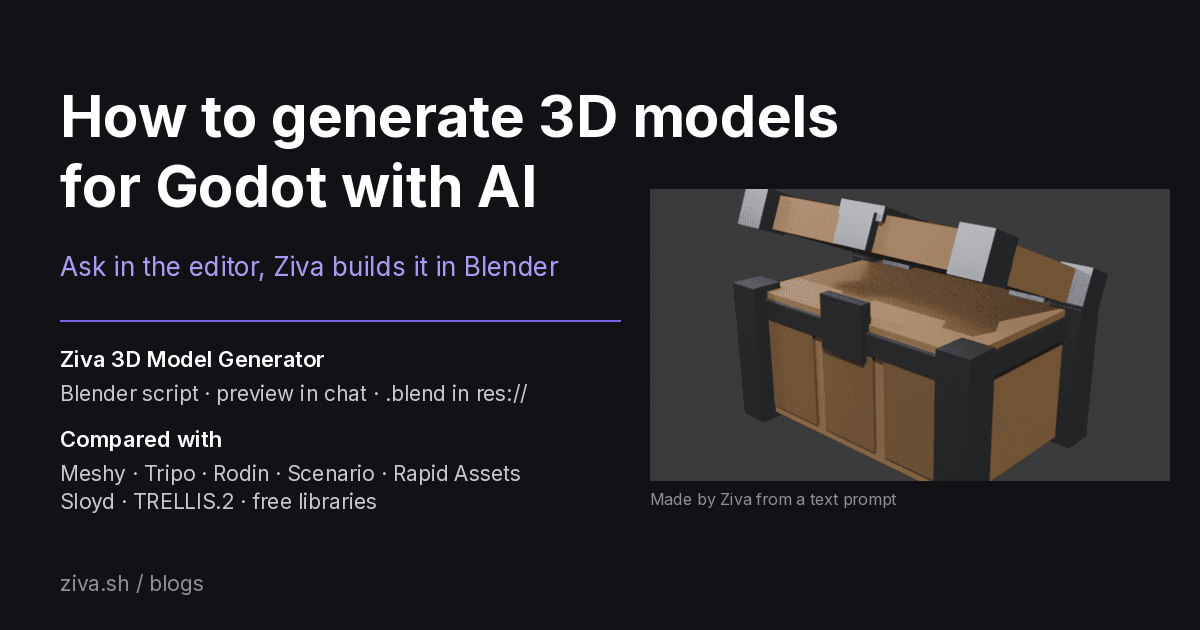
How to generate 3D models for Godot with AI
To make 3D models without leaving the Godot editor, ask Ziva, an AI agent that works inside Godot. Type something like "make a low-poly wooden treasure chest with metal corner bands and put it in a test scene". On Ziva Pro or Ultra, Ziva writes a Blender Python script, runs it in a copy of Blender it downloads to your computer, shows you a rendered preview in the chat and saves the model in your project as a .blend file, which Godot imports as a scene. It can then add the model to a scene and change it when you ask.
Ziva is not a text-to-3D generator like Meshy or Tripo. It builds models from shapes, materials and modifiers in code, which suits editable low-poly props, buildings, furniture and stylized scenery. For organic characters, creatures or realistic sculpted detail, use a text-to-3D or image-to-3D tool and import its GLB file. The table shows which tool does what.
Ziva.sh publishes this page and makes Ziva. Facts about other tools come from their own pages, as of 4 November 2026.
AI 3D model tools for Godot compared
| Tool | What it is | Input | How models get into Godot | Output | Account and price | Commercial use |
|---|---|---|---|---|---|---|
| Ziva | Ziva: AI agent in the Godot editor; builds models with Blender scripts on your computer | Ziva: text, or a reference image the agent looks at | Ziva: saved to res://; Godot imports .blend as a scene; the agent can add it to a scene | Ziva: .blend; in our tests the agent also added a .glb export to its Blender script and used that in the scene | Ziva: Pro or Ultra plan; one-time Blender download of about 260-390 MB | See Ziva's terms |
| Scenario for Godot | Scenario for Godot: editor dock (its README says tested on Godot 4.7.2) running Rodin, Meshy, Tripo and Hunyuan 3D models | Scenario: text, image | Scenario: GLB instanced under the selected Node3D | Scenario: GLB | Scenario: API key; 50 free daily credits; Starter $15/month | Scenario: paid plans commercial; free plan personal and evaluation use only |
| Rapid Assets | Rapid Assets: free plugin for Godot 4.0+ on Windows and macOS | Rapid Assets: text; some workflows take a reference image | Rapid Assets: GLB saved to res://RapidAssets/Models/, dropped into the scene as a MeshInstance3D | Rapid Assets: GLB | Rapid Assets: free account; generation runs in its cloud; paid limits not stated | Rapid Assets: "intended for commercial and non-commercial" projects; check its terms |
| Tripo plugin | Tripo plugin v0.02, Godot 4.4+ | Tripo: text, image | Tripo: previewed, saved or added to the current scene as a Node3D | Tripo: not stated for the plugin | Tripo: API key; prepaid, $1 = 100 credits, 10-50 credits per model | Tripo: check its terms |
| Hyper3D Rodin plugin | Hyper3D Rodin's RodinBridge, Godot 4.4+, needs the Rodin webpage open in Chrome 116+ | Rodin plugin: image | Rodin plugin: imported into Godot automatically | Rodin: not stated | Hyper3D Rodin: free plan, credits $1.50 each; Creator $30/month | Hyper3D Rodin: paid plans "Unlimited export and any use"; free plan not stated |
| Meshy | Meshy: web generator with a Godot bridge plugin from meshy.ai | Meshy: text, image | Meshy: sent from your Meshy workspace to Godot; no generation inside Godot | Meshy: GLB, FBX, OBJ, USDZ, STL, .blend | Meshy: the Godot bridge needs Pro ($20/month) or above; free plan 100 credits a month | Meshy: free plan CC BY 4.0 (credit required); paid plans private |
| Sloyd | Sloyd: web generator; Sloyd Godot Bridge on the Asset Library, Godot 4.2+ | Sloyd: text, image, templates | Sloyd: sent from the Sloyd web app "straight into your active scene" | Sloyd: GLB, OBJ, FBX | Sloyd: 1 free generation a day; Plus $15/month | Sloyd: free use is personal only; Plus and up commercial |
| MCP for Blender | MCP for Blender: Blender add-on that lets Claude, Codex, Cursor and others drive Blender | MCP for Blender: prompt in your AI client | MCP for Blender: export from Blender, then import | MCP for Blender: anything Blender exports | MCP for Blender: free with your own Meshy, Hunyuan3D or Rodin keys; Premium from $10/month | MCP for Blender: depends on the model provider |
| TRELLIS.2 and Hunyuan3D 2.1 | TRELLIS.2 and Hunyuan3D 2.1: open image-to-3D models you run yourself | TRELLIS.2 and Hunyuan3D 2.1: image | TRELLIS.2 and Hunyuan3D 2.1: import the GLB | TRELLIS.2: GLB; Hunyuan3D 2.1: mesh (GLB in its examples) | TRELLIS.2 and Hunyuan3D 2.1: free; TRELLIS.2 needs an NVIDIA GPU with at least 24 GB | TRELLIS.2: MIT; Hunyuan3D 2.1: license excludes the EU, UK and South Korea |
| Kenney, Quaternius, KayKit, Poly Pizza | Kenney, Quaternius, KayKit and Poly Pizza: free 3D asset libraries | - | Libraries: download, then import | Libraries: formats vary per pack | Kenney, Quaternius, Poly Pizza and KayKit's free packs: free | Kenney: CC0; Quaternius: free for commercial games, no resale as assets; Poly Pizza: per model, CC0 or CC-BY; KayKit: CC0 (pack checked) |
The cloud generators return a mesh made by a neural model and stop there, or import it into a scene. Ziva's models are built by scripts, so you can ask for changes to proportions, colors or parts in the same chat, and because Ziva is an agent that edits your scenes and scripts, it can also place the model in a scene and wire it into your game.
How to make a 3D model in Godot with Ziva
- Install Ziva in your Godot project and sign in on a Pro or Ultra plan.
- Open Settings → Pro Features and click Download under 3D Model Generator. If you skip this, Ziva asks "Enable Ziva's 3D Model Generator?" with the download size the first time you ask for a model. It installs its own copy of Blender 5.2.2; on Linux the download was 365.5 MB.
- Ask for a model in the chat, with size, style and where to put it, for example "Make a stylized low-poly pine tree, about 3 meters tall, with a trunk and three cone layers of leaves, save it in
res://models/and add it to my test scene." You can attach a reference image as well. - Ziva runs its Blender script, renders a preview from a camera in the Blender scene and shows it in the chat. Ask for changes ("make the lid open wider", "darker wood") and it can edit the same
.blend. - The model shows up in the FileSystem dock. Godot's own
.blendimporter turns it into a scene you can drag into any level. On Godot 4.3 or later Ziva points Godot at its Blender if the Blender Path editor setting is empty, so there is no setup dialog.
The 3D Model Generator runs on macOS (Apple silicon), Windows (x64 or ARM64) and Linux (x64).
An example: a treasure chest and a pine tree
We tested this on 4 November 2026 in Godot 4.7.2 with a Pro account. One prompt was "Make a low-poly wooden treasure chest with metal corner bands and a slightly open lid for my game, save it in res://models/, and put it in a new scene res://scenes/chest_test.tscn so I can see it." The Blender script itself ran in about 2 seconds and Ziva showed this preview in the chat:
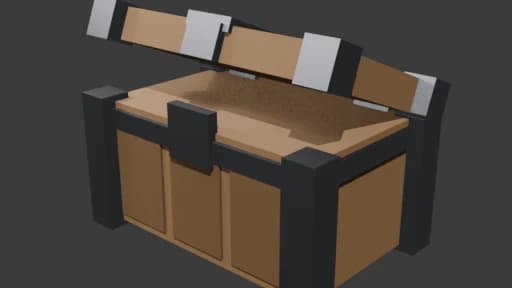
Ziva saved treasure_chest.blend, exported treasure_chest.glb, set up the test scene with a floor, light and camera, and ran the scene to check the framing. A second prompt asked for "a stylized low-poly pine tree, about 3 meters tall, with a trunk and three cone layers of leaves" next to the chest. Here are both models running in Godot:
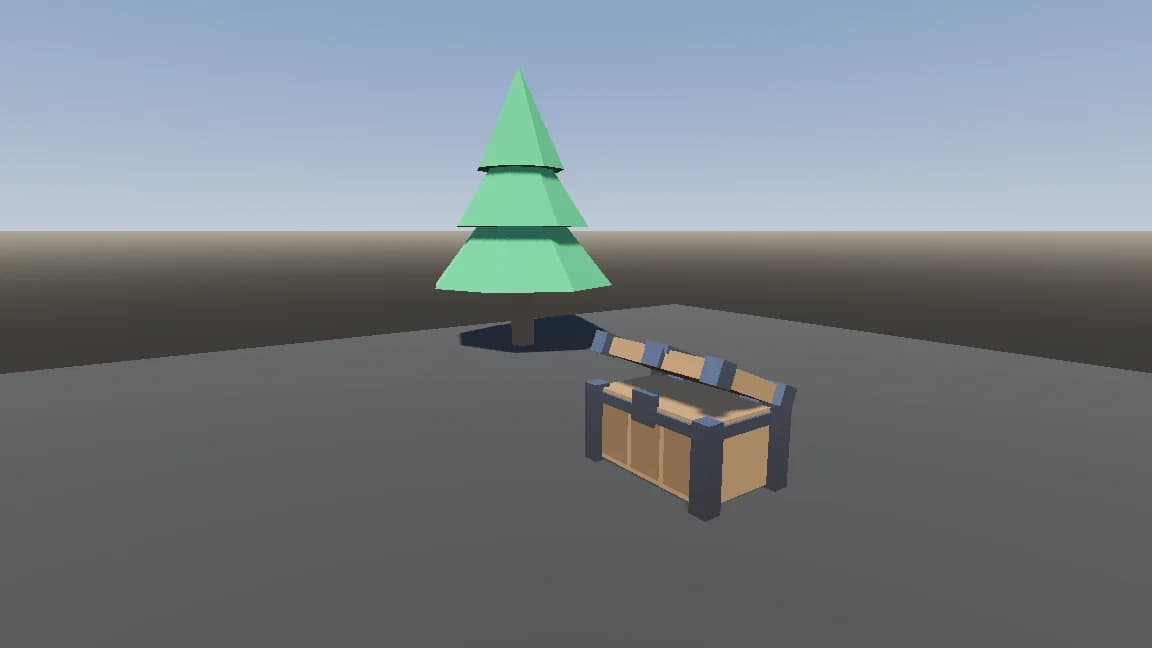
The chest is 296 triangles with 3 materials and the tree is 70 triangles with 2, both flat colors with no textures. That is the style this approach is good at: simple, light props you can change by asking.
Import an AI-generated GLB or a Blender file into Godot 4
For files from Meshy, Tripo, Rodin or any other generator:
- Format. Godot's docs recommend glTF 2.0 (
.gltfor.glb). Copy the file into your project folder and Godot imports it as a scene. - Blender files. Godot imports
.blendfiles by calling Blender to export glTF in the background. Set Editor Settings → FileSystem → Import → Blender → Blender Path to your Blender executable. Teammates who open the project need Blender too, so also export a.glbfor teammates without Blender. - Scale. Select the file, open the Import dock and change Root Scale, then click Reimport. Generated models often come in at an arbitrary size, so check them next to a 1 m reference cube.
- Collision. Before export, add
-col(mesh plus static collision) or-colonly(collision only) to the end of a mesh's name. Or double-click the file to open Advanced Import Settings, select the mesh and enable Physics with a Body Type and a Shape Type. Trimesh shapes only work with Static bodies. - Materials. In Advanced Import Settings, use Actions… → Extract Materials to save them as
.tresfiles you can edit. Godot keeps your edits when the source file is reimported.
AI-generated meshes often have far more triangles than a game needs. Decimate them in Blender, and keep Generate LODs on in the import settings so distant copies draw fewer triangles.
What Ziva's 3D Model Generator doesn't do
- No neural text-to-3D or image-to-3D generation. Models are built from shapes in Blender scripts, so detailed organic shapes and realistic sculpts are out of reach.
- A reference image guides the script; it is not reconstructed into a matching mesh.
- No built-in rigging, animation, retopology or LOD step.
- Pro and Ultra plans only. Hobby and Basic see an upgrade card.
- Intel Macs and Linux ARM64 are not supported.
When another tool is better
- Characters, creatures and organic props: Meshy, Tripo, Rodin or Scenario, then import the model.
- Free, offline image-to-3D on your own GPU: TRELLIS.2.
- Ready-made, consistent asset sets at no cost: Kenney, Quaternius or KayKit.
- Driving Blender from Claude Code, Codex or Cursor outside Godot: MCP for Blender, or Ziva's MCP server for the Godot side.
Related reading
- AI 3D asset generators for games: what to check before choosing
- How to generate sound effects for Godot with AI
- Create and test: playtests, images, sound and 3D models